Starsand Island Map, Markers and Early Transport Guide
Navigation and mobility

Starsand Island Map, Markers and Early Transport Guide

Use map categories, single waypoints, Social Locate, the skateboard and Garage controls without confusing a marker with instant fast travel.

Checked July 20268 visual stepsEarly Access
Quick route

Use the full Map to select the correct category and pin one destination; after meeting residents, use Phone → Social → Locate for moving NPCs. Craft the skateboard through Zerine for early travel, then use the Garage control for transport you have actually unlocked. A map waypoint guides you—it does not teleport you.

MapPin one destination
NPC trackingSocial → Locate
First mobilitySkateboard
GarageUnlocked vehicles only
Before you start

Navigation tools covered

  • Finish the opening tutorial so the map and phone apps are available.
  • Complete Zerine’s first Crafter route for the skateboard.
  • Do not assume every station or marker is an instant fast-travel point.
Detailed walkthrough

Map, tracking and travel sequence

Each image is either a marked game screenshot or a clearly labelled control diagram.

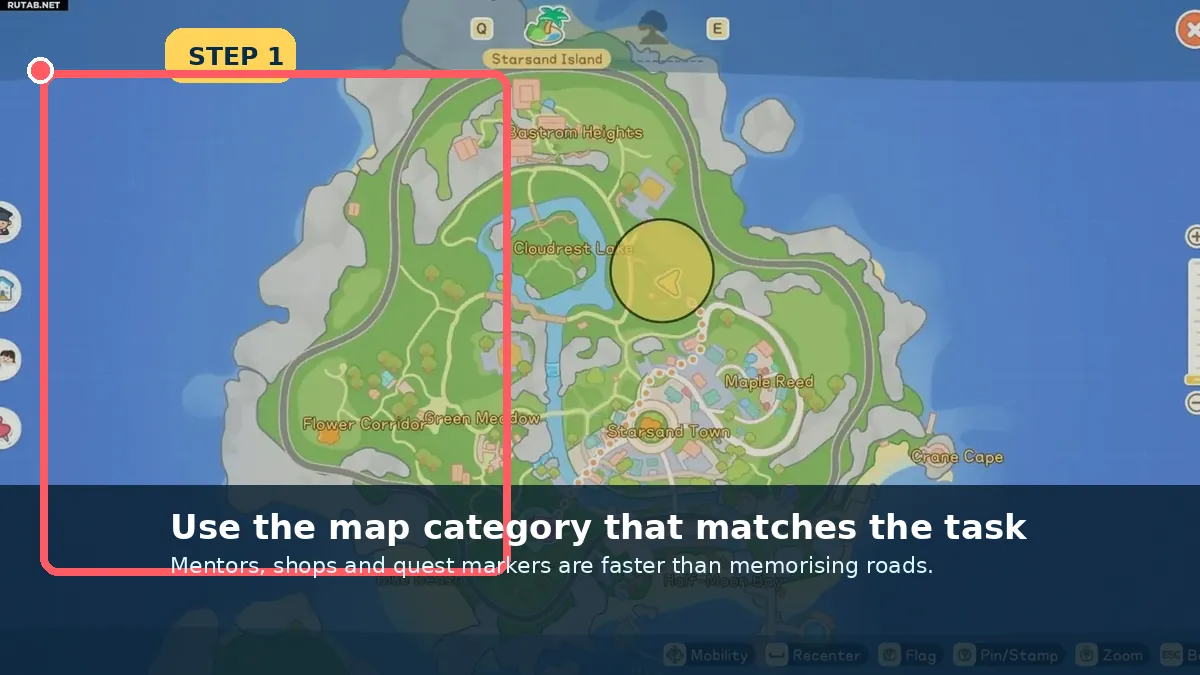
Choose the correct map category
Screenshot checkpoint: Choose the correct map category.

Choose the correct map category

Open the full map and switch to Mentors, services or the category related to the current objective.

  • Use the full map, not only the minimap.
What you should seeThe destination icon becomes selectable.
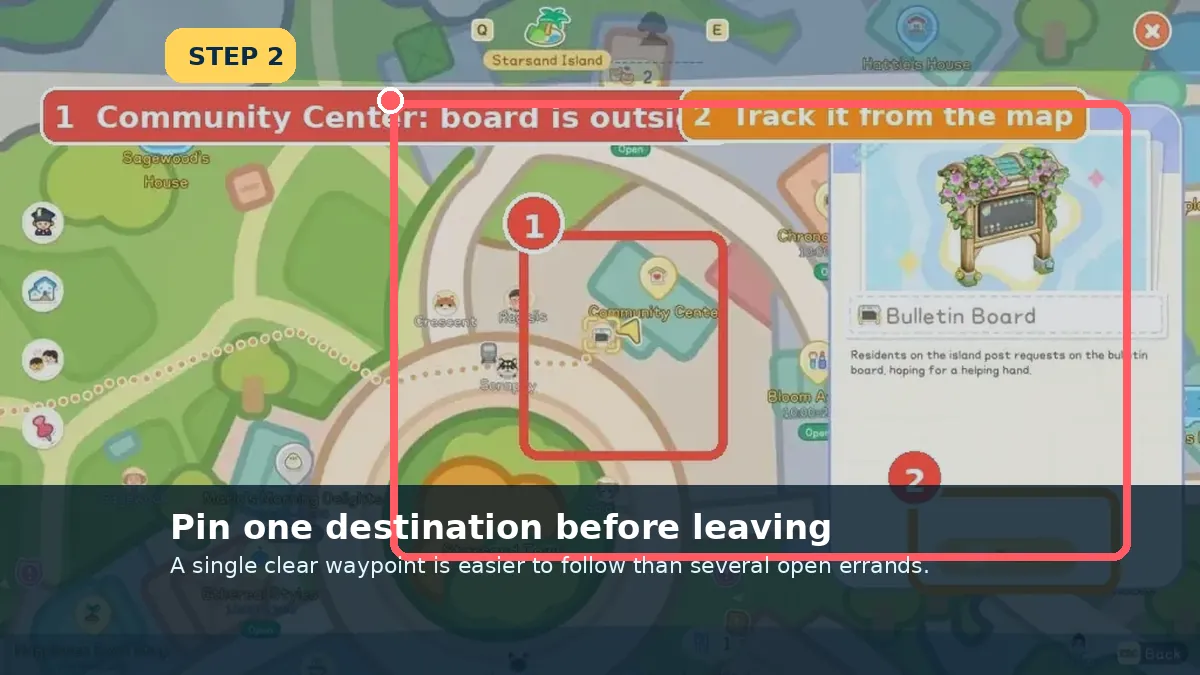
Pin one destination
Screenshot checkpoint: Pin one destination.

Pin one destination

Select one destination and close the map. Several simultaneous errands make the on-screen route harder to read.

  • Re-pin after completing each stop.
What you should seeA single waypoint appears in the world/minimap.
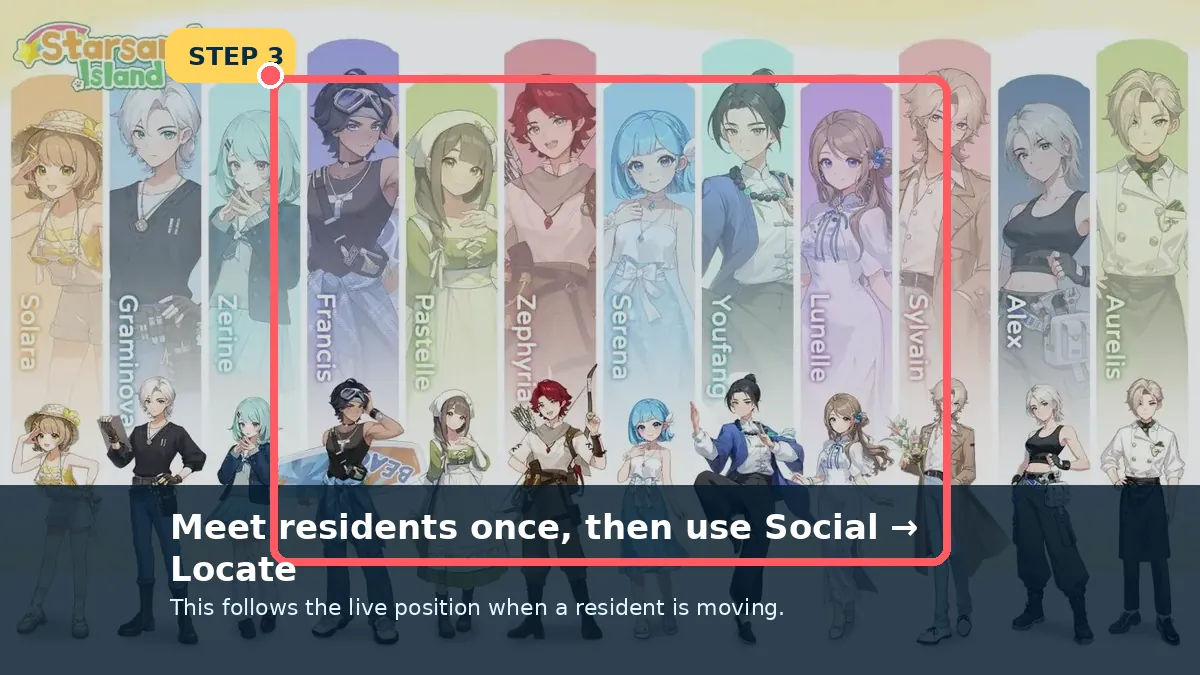
Use Social → Locate for moving residents
Screenshot checkpoint: Use Social → Locate for moving residents.

Use Social → Locate for moving residents

After the first meeting, open the Phone Social app and choose Locate when an NPC is no longer at the building you expected.

  • Live tracking is safer than a fixed schedule.
What you should seeThe map updates to the resident’s current position.
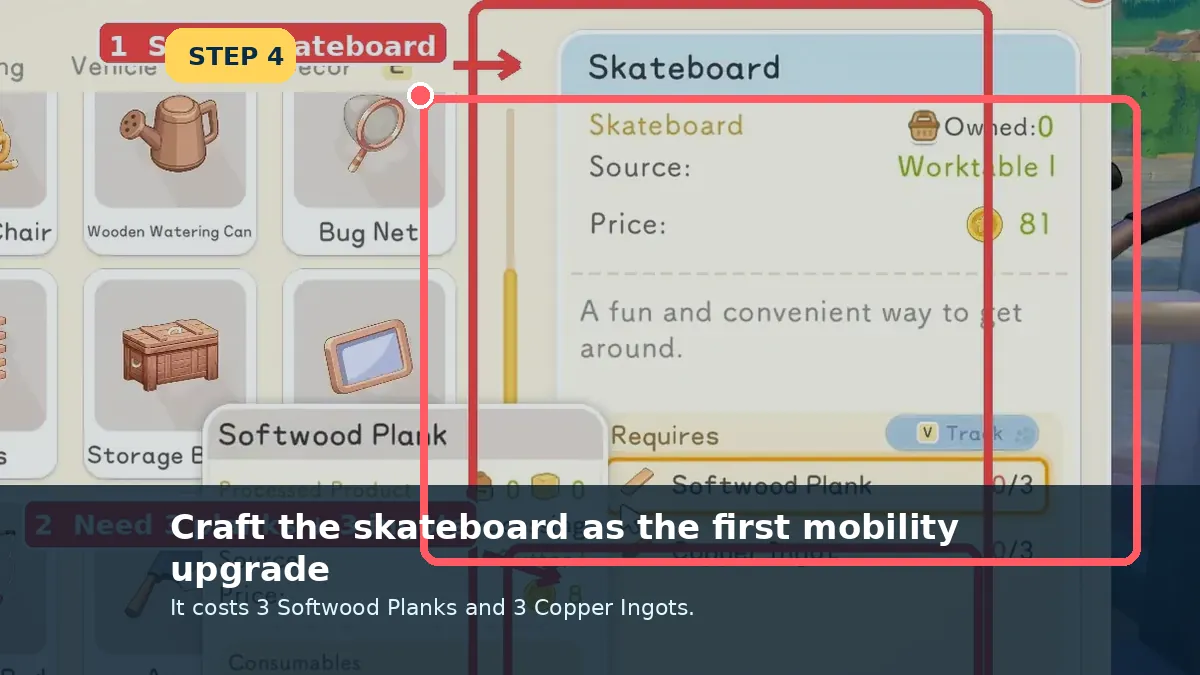
Craft the first skateboard
Screenshot checkpoint: Craft the first skateboard.

Craft the first skateboard

Complete Zerine’s processor chain and craft the board from 3 Softwood Planks and 3 Copper Ingots.

  • Collect the output from the Worktable.
What you should seeThe Skateboard is in the Bag.
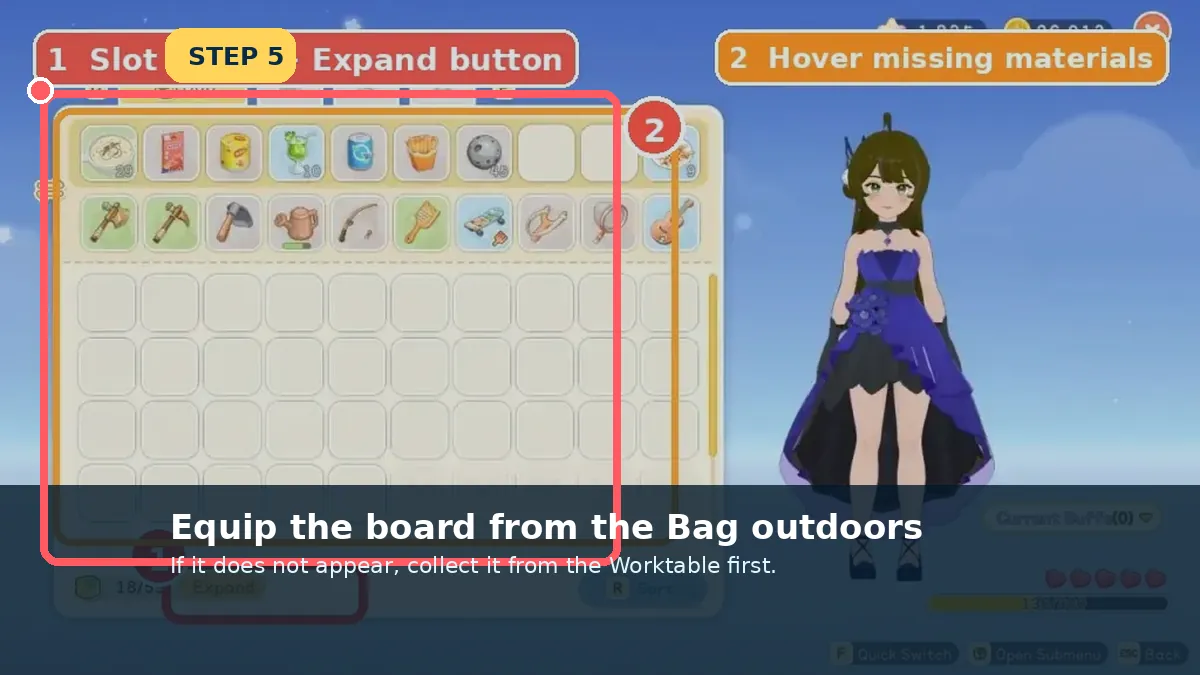
Equip it outdoors
Screenshot checkpoint: Equip it outdoors.

Equip it outdoors

Open the Bag outside, select the Skateboard and use/equip it. Indoor or blocked areas may prevent activation.

  • Move to clear ground if the action is unavailable.
What you should seeThe character is riding the board.
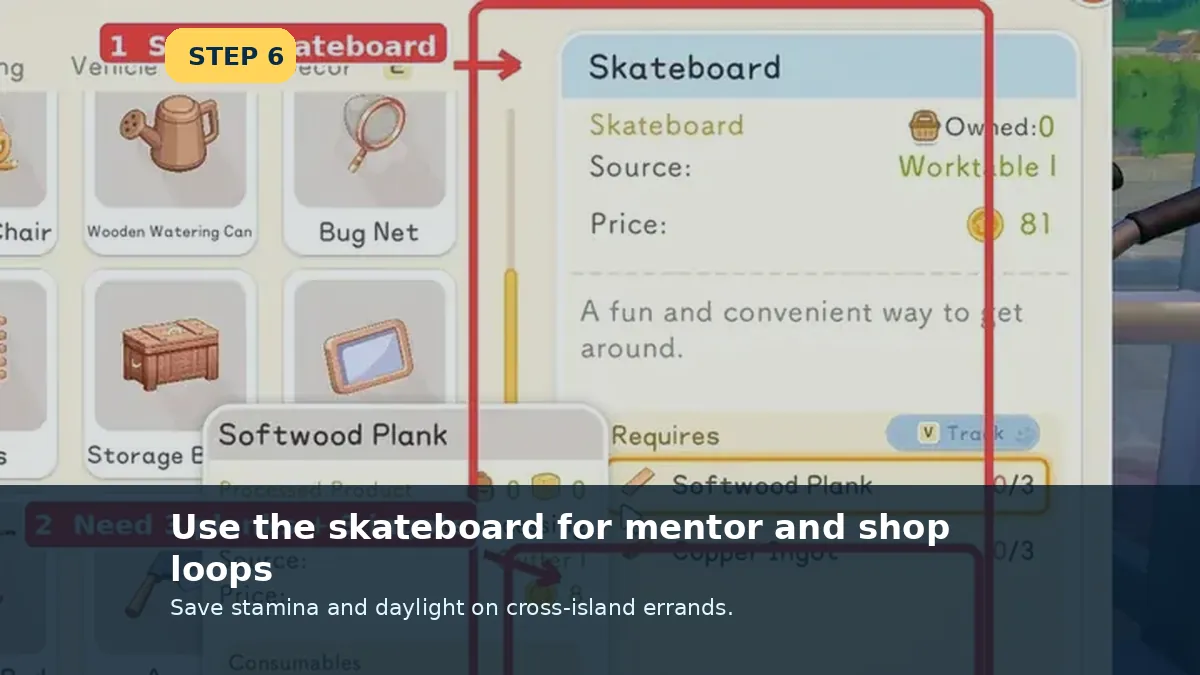
Use the board for mentor/shop loops
Screenshot checkpoint: Use the board for mentor/shop loops.

Use the board for mentor/shop loops

Group errands by area: mentor, nearby shop, board request, then return Home. The board saves time without consuming a late-game vehicle route.

  • Carry only the materials needed for the loop.
What you should seeTwo or more errands finish in one trip.
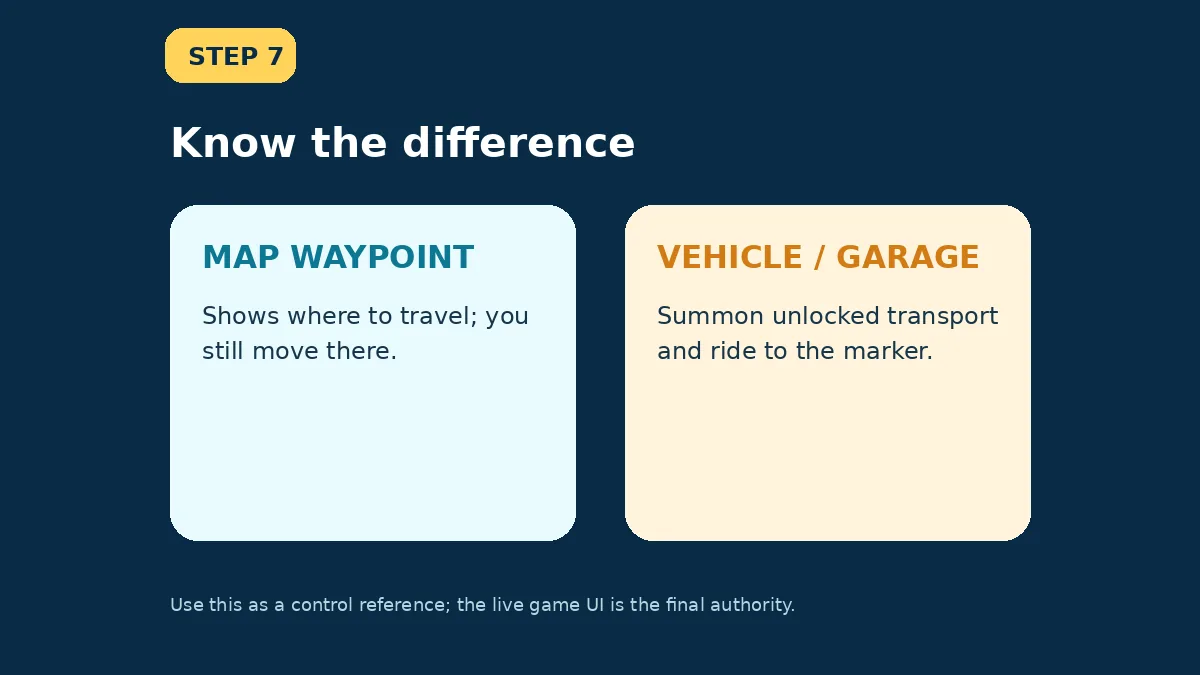
Do not confuse waypoints with transport
Screenshot checkpoint: Do not confuse waypoints with transport.

Do not confuse waypoints with transport

A map marker tells you where to go. Garage or vehicle controls summon transport you have already unlocked; they do not unlock it.

  • The HUD lists the Garage control after it becomes available.
What you should seeThe correct vehicle appears without searching for where it was parked.
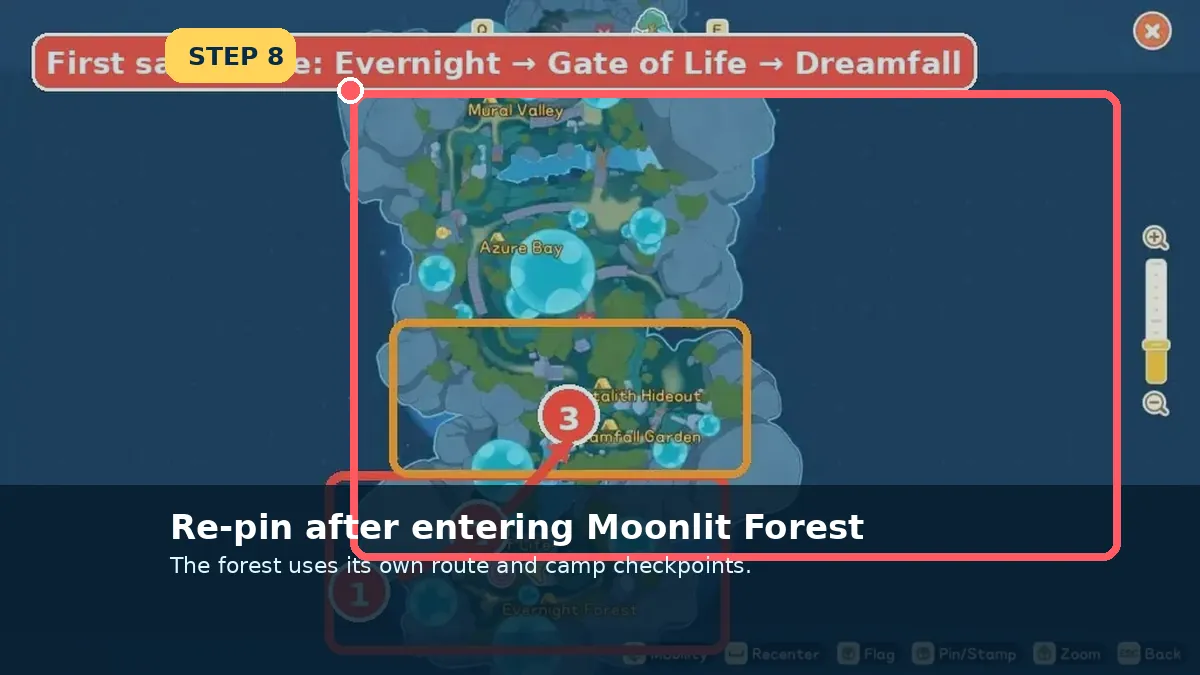
Re-pin inside Moonlit Forest
Screenshot checkpoint: Re-pin inside Moonlit Forest.

Re-pin inside Moonlit Forest

Moonlit Forest uses separate route logic and camp checkpoints. Open its map and pin the current objective again after entering.

  • Activate camps as return points.
What you should seeThe forest route points to the next gate or objective.
Field notes

Choose the tool that matches the target

A building, a moving resident and a travel shortcut are three different navigation problems.

Static destination

Use the full Map, switch to the right category and pin the building or area.

Moving resident

After meeting them once, use Phone → Social → Locate instead of checking every shop.

Faster errands

Equip the skateboard outdoors for early loops. A waypoint is guidance; it is not automatically a teleport point.

Last checked against the Early Access build: July 8, 2026
Patch checkDifferent guides use “fast travel” loosely. This page distinguishes map waypoints, summonable vehicles and actual unlocked transport. Check the live HUD and quest reward before assuming a marker teleports you.

Sources checked
Starter Guide HUD and transport · Profession walkthrough · Beginner guide
Reviewed 8 July 2026. Live recipe panels, tracked objectives and map markers override older screenshots when Early Access changes.
Continue from here

Open the page that matches your next screen

The links below connect this page to the exact item, resident, place or walkthrough used in the next step.